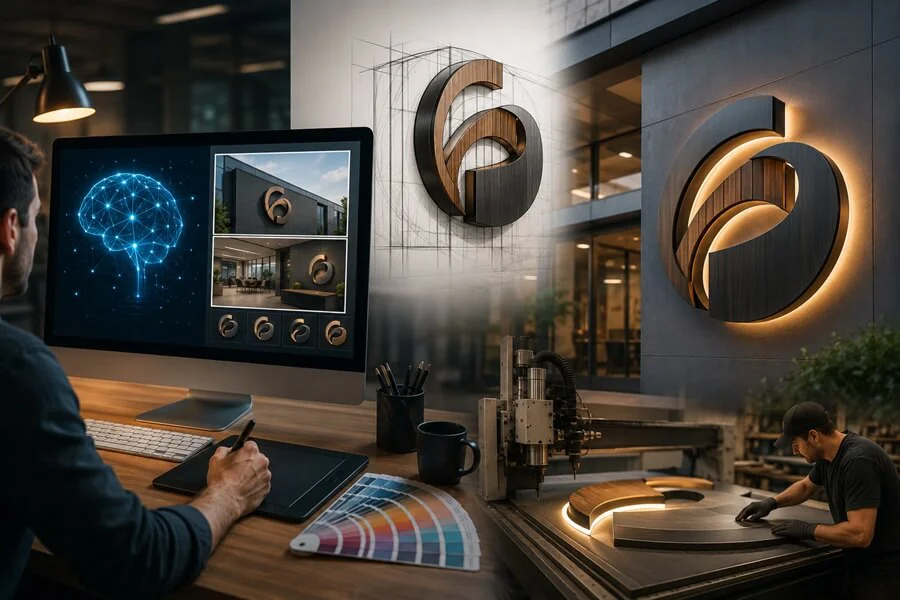
How Artificial Intelligence Can Help You Create Better Signs—And Where Human Expertise Still Matters
Artificial intelligence has transformed the way businesses create graphics, logos, marketing materials, and even commercial signage concepts. With tools like ChatGPT, Midjourney, DALL·E, Adobe Firefly, and others becoming more accessible, many business owners are asking:
“Can AI design my sign?”
The answer is yes—but only to a point.
AI is an incredible brainstorming and visualization tool, but successful commercial signage still requires professional design knowledge, manufacturing expertise, engineering, permitting, and installation experience.
In this guide, we’ll explain:
- What AI is good at
- When you should use AI
- When you shouldn’t
- Common mistakes businesses make
- How to get the best results from AI
- How FASTSIGNS North Tryon combines AI with professional sign design
Part 1: What AI Can Do for Sign Design
AI has become exceptionally good at creating visual concepts.
Instead of spending hours trying to explain an idea to a designer, you can now create a realistic concept in minutes.
Examples include:
- Storefront ideas
- Monument sign concepts
- Interior office branding
- Wall murals
- Window graphics
- Trade show booths
- Vehicle wrap inspiration
- Wayfinding concepts
- Reception areas
- Lobby signs
Think of AI as a creative assistant—not the final designer.
It helps answer:
“What could this look like?”
Instead of:
“What should we actually build?”
That distinction is extremely important.
AI Excels at Visualization
Many people know exactly what they want…
…but struggle to explain it.
AI bridges that gap.
Instead of saying:
“I want something modern with wood and black metal…”
You can simply generate several concepts and immediately know which direction feels right. This often saves days of revisions.
AI is Great for Brainstorming
Sometimes you simply don’t know what style fits your business.
AI can instantly generate dozens of design directions such as:
- Modern
- Industrial
- Luxury
- Corporate
- Minimalist
- Rustic
- Healthcare
- Technology
- Hospitality
- Educational
- Creative
- High-end retail
Rather than starting with a blank page, you’re starting with inspiration.
AI Helps Non-Designers Communicate Better
Many business owners say:
“I know what I like when I see it.”
AI is perfect for that.
Instead of searching Google for hours, you can create reference images tailored specifically to your business.
These become valuable communication tools between you and your sign company.
AI Makes Early Design Faster
Instead of spending several days exploring concepts, businesses can narrow their preferences before professional design even begins.
That means designers spend less time guessing…
…and more time refining.
The result is often:
- Faster approvals
- Better communication
- Fewer revisions
- Lower design costs
- More confidence
Why AI Is Not a Replacement for Professional Sign Designers
This is where many people misunderstand AI.
AI creates pictures.
Sign companies create products.
Those are very different things.
A sign must be:
- Manufactured
- Engineered
- Installed
- Permitted
- Durable
- Readable
- ADA compliant (when required)
- Built within budget
- Designed for real-world viewing distances
AI understands none of these requirements.
A concept that looks amazing on a computer may be physically impossible—or prohibitively expensive—to build.
Real Sign Design Involves Much More Than Appearance
Professional designers think about questions AI cannot answer:
- Will this fit local sign ordinances?
- Can this material survive North Carolina weather?
- Is the logo readable from 200 feet away?
- How thick should dimensional letters be?
- What mounting method is required?
- Can this sign be serviced later?
- Will lighting create shadows?
- Does the building owner allow this installation?
- Will permits be required?
- Is structural engineering necessary?
These are real-world considerations that AI simply doesn’t understand.
AI Doesn’t Understand Manufacturing
One of AI’s biggest limitations is that it doesn’t know how signs are actually built. It may generate:
- Floating letters with invisible supports
- Impossible lighting effects
- Unrealistic materials
- Incorrect proportions
- Glass that cannot support the weight
- Impossible installation methods
The image may look impressive…
…but cannot actually be fabricated.
Professional sign companies immediately recognize these issues.
AI Doesn’t Know Your Brand
Your business has:
- Brand colors
- Typography
- Existing logos
- Marketing standards
- Customer expectations
- Industry regulations
Unless you specifically provide this information, AI simply guesses. That means consistency often suffers.
Professional designers ensure every sign strengthens your overall brand.
Part 2: When You Should Use AI
AI shines during the early planning stages of a signage project.
It can help you clarify your vision before production begins.
Here are some of the best times to use AI.
1. Exploring Design Styles
If you’re unsure whether your brand should feel modern, industrial, elegant, or playful, AI can generate multiple visual directions in minutes. This helps you discover what resonates before investing in detailed design work.
2. Visualizing Your Space
Upload a photo of your storefront, lobby, office, or conference room and ask AI to place different sign concepts in the image. While the scale won’t be exact, it provides a useful visualization of how different styles may look.
3. Creating Mood Boards
Instead of collecting dozens of images from different websites, AI can generate a cohesive set of inspiration that reflects the atmosphere you’re trying to create.
4. Communicating Ideas
Words like “modern” or “premium” mean different things to different people. AI-generated concepts help eliminate misunderstandings by giving everyone something concrete to discuss.
5. Generating Marketing Mockups
AI is excellent for creating conceptual images for presentations, internal planning, or investor discussions before a project moves into engineering and fabrication.
Getting Better Results from AI
The quality of the output depends heavily on the quality of your prompt. Instead of saying:
“Design a sign.”
Provide details such as:
- Business type
- Brand personality
- Colors
- Materials
- Lighting preferences
- Building style
- Interior or exterior
- Viewing distance
- Desired customer impression
The more context you provide, the more useful the concept will be.
Use Photos Whenever Possible
One of the biggest improvements in AI is its ability to work with reference images. Upload:
- Your storefront
- Reception area
- Lobby wall
- Building exterior
- Monument sign location
- Vehicle
- Trade show booth
Then ask AI to place signage naturally within the space.
This produces concepts that are far more realistic than starting from a blank prompt.
Ask for Multiple Variations
Don’t stop at one concept.
Request:
- Three different styles
- Different materials
- Daytime and nighttime views
- Various color palettes
- Different lighting options
- Alternate layouts
Exploring several directions helps identify what works best.
Treat AI Images as Concepts
An AI-generated image is not a production drawing.
It’s a conversation starter.
Your sign company will still need to:
- Verify dimensions
- Adjust proportions
- Select appropriate materials
- Ensure code compliance
- Prepare fabrication files
- Obtain permits if needed
Part 3: The Biggest Limitations of AI
AI is impressive—but it’s far from perfect.
Understanding its limitations will save time, money, and frustration.
1. Incorrect Text
AI frequently misspells words, invents letters, or produces unreadable text. Never use AI-generated text as final artwork.
2. Wrong Scale
Signs may appear much larger or smaller than they would be in reality, making it difficult to judge actual visibility.
3. Impossible Construction
AI often creates floating signs, unsupported structures, unrealistic lighting, or materials that cannot be fabricated.
4. Code and Permit Blindness
AI has no understanding of municipal sign codes, zoning regulations, landlord requirements, or permitting processes.
5. Brand Inconsistency
Without clear instructions, AI may alter your logo, colors, fonts, or overall brand identity.
6. Manufacturing Costs
AI doesn’t consider budgets. A beautiful concept may require custom fabrication techniques that dramatically increase cost.
Where Human Expertise Still Wins
Professional sign designers contribute far more than visual creativity.
They understand:
- Readability at different distances
- Material performance
- Fabrication methods
- Structural requirements
- Illumination
- Installation logistics
- Maintenance
- Local regulations
- Brand consistency
- Cost optimization
They take an exciting concept and turn it into a sign that performs well for years.
The Best Workflow: AI + Professional Design
The most successful projects combine the strengths of both.
A smart workflow looks like this:
- Brainstorm ideas with AI.
- Gather inspiration and preferred styles.
- Share those concepts with your sign professional.
- Refine the design for branding, readability, and durability.
- Engineer the sign for fabrication.
- Manufacture using commercial-grade materials.
- Install professionally and ensure compliance.
This approach saves time while still delivering a sign that’s attractive, functional, and built to last.
Frequently Asked Questions
Can AI replace a professional sign designer?
No. AI is excellent for concept generation but lacks the technical knowledge required for real-world signage.
Can I use AI-generated artwork for production?
Sometimes, but it often requires significant redesign. Most AI images are not vector-based, properly scaled, or production-ready.
Is AI good for logo design?
AI can generate ideas quickly, but a professional designer should refine and finalize any logo used across signage and branding.
What AI tools work best for sign concepts?
Popular options include ChatGPT (with image generation), DALL·E, Adobe Firefly, Midjourney, and other AI visualization platforms. Each has strengths depending on whether you’re creating concepts, editing photos, or exploring styles.
Will AI save money?
It can reduce the time spent exploring ideas and improve communication, but it doesn’t eliminate the need for professional design, engineering, fabrication, or installation.
Final Thoughts
Artificial intelligence is changing how businesses approach sign design, making it easier than ever to visualize ideas and communicate creative direction. It’s an outstanding tool for inspiration, experimentation, and early planning.
However, great signage is about more than creating an attractive image. It requires technical expertise, knowledge of materials, manufacturing methods, local regulations, and an understanding of how signs perform in real-world environments.
At FASTSIGNS® North Tryon, we embrace AI as a creative partner—not a replacement for experience. By combining AI-generated concepts with professional design, engineering, and fabrication, we help businesses turn great ideas into signs that are beautiful, functional, code-compliant, and built to last.
Whether you already have an AI-generated concept or you’re just beginning to explore possibilities, our team can help transform your vision into signage that works as hard as your business does.

